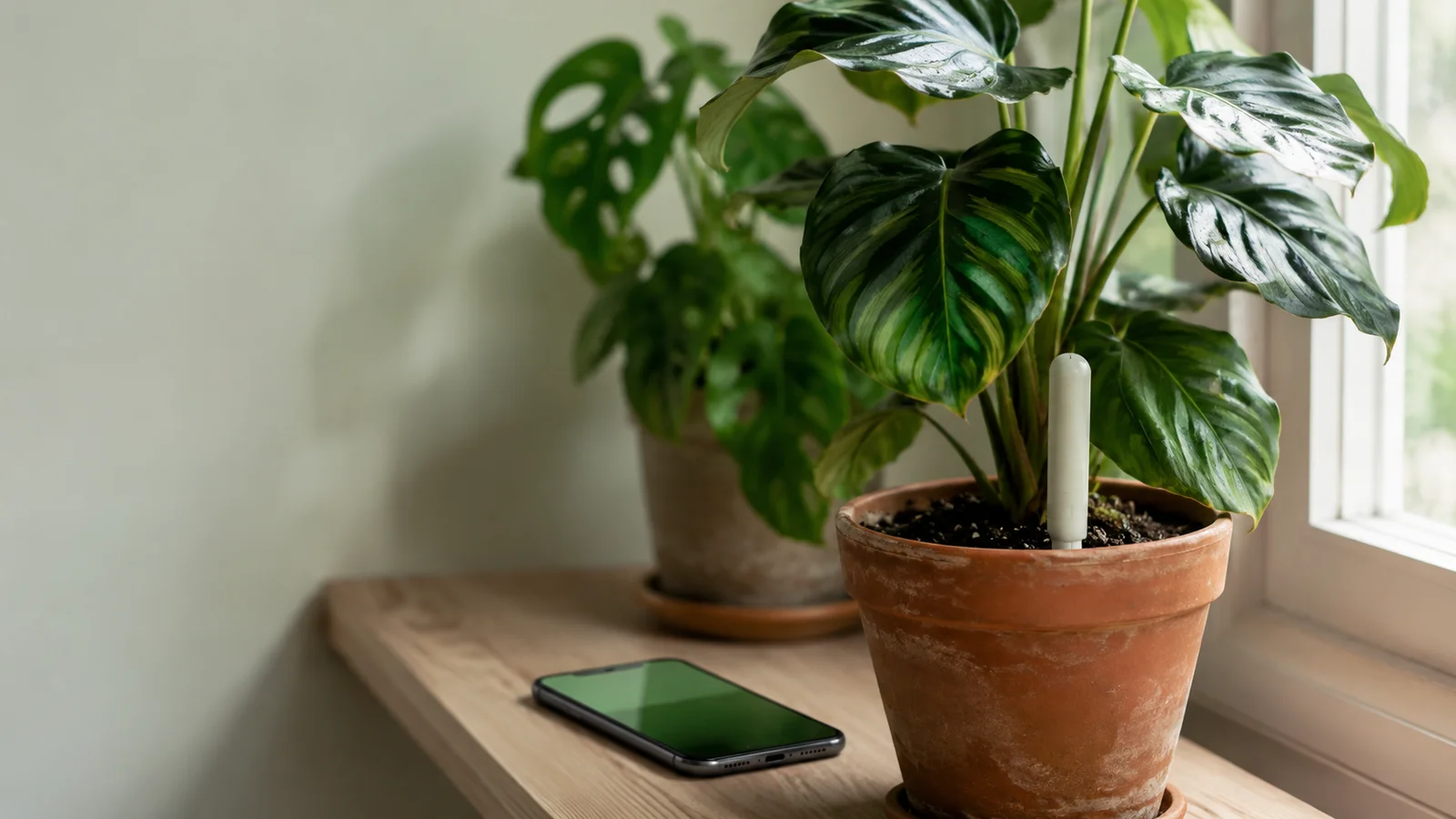
Smart-home gardening · 13 min read
Plant care app with sensor support: what to actually look for
Most plant sensor apps show you a number. A useful one does something with it. Here's what separates an app that makes sensor data actionable from one that just displays it.
Botanical Legacy · Field notes ·
A sensor tells you the number. The app decides what that number means for this plant, in this pot, today. Most apps skip the second part.
The display-only trap
Most apps that ship with a plant sensor are dashboards. You pair the probe, and the screen fills with numbers: soil moisture, a temperature, a light reading in lux, sometimes an electrical-conductivity figure standing in for the nutrients in the pot. Every fifteen minutes the numbers refresh. And then — nothing. The reading sits there, waiting for you to know what to do with it.
That is the trap, and it is why so many sensor setups end up forgotten in a drawer within a month. A number is not advice. Twenty-two percent soil moisture is a fact, not an instruction. It means one thing in a cactus and the opposite in a fern; one thing in a porous terracotta pot that breathes and another in glazed ceramic that seals the water in; one thing during a bright July week when the plant is drinking hard and another during a grey, dormant fortnight in November. The reading is identical. What it demands of you is completely different.
A display-only app quietly hands all of that interpretation back to you. Every time you glance at the screen, you are expected to recall this plant's species, its pot, its substrate, the season, and how long since you last watered — and translate it in your head, on the spot, for every pot you own. For one plant on a windowsill, maybe you can. For a dozen specimens across three rooms, you can't, and you stop trying. The sensor keeps reporting into an app that does nothing with the report, and eventually you stop opening it.
The fix is not a prettier dashboard or a faster refresh rate. It is an app that does the second half of the job: takes the number and decides what it means for this plant, today. Everything else worth looking for follows from that one requirement.
What sensor-aware scheduling means
The first real sign that an app is using your sensor rather than merely displaying it: the watering schedule moves when the reading disagrees with the calendar. Not "water on day seven because day seven arrived," but "day seven would normally fire — except your probe reads fifty-two percent, so hold off until the soil dries."
This is the difference between a calendar that happens to have a sensor plugged into it and a schedule that is genuinely sensor-aware. A calendar-only app, even one showing a live moisture number on the same screen, will still notify you on the seventh day. The number and the reminder live in separate worlds, and you are the bridge between them. A sensor-aware app collapses the two: the reading is an input to the schedule, not a decoration beside it.
Watch the direction it works in, too. A weak version treats the sensor as an override button — you read the number, decide the app is wrong, and manually snooze the reminder. That still leaves you as the integration layer. The stronger version defers on its own: a fresh reading above the plant's "still wet" threshold pushes the next watering date out automatically, and the reminder that would have fired simply doesn't. You were never bothered, because the soil told the app there was nothing to do.
Notice what this fixes across pot types and seasons — the cases a fixed schedule always gets wrong. The same Monstera in terracotta and in glazed ceramic is on two different drying curves; the same pot in July and in November is on two more. Reading what one specific Monstera needs is the same problem in miniature, and a sensor-aware schedule doesn't make you solve it by hand. The reading already encodes the pot, the substrate, and the weather, because the soil is downstream of all three. The app reads the consequence and acts on it.
One honest caveat: deferral should be conservative. A single odd reading — a probe knocked loose, a pocket of water from this morning — shouldn't swing the schedule wildly. The behaviour to look for is "defer when the soil is genuinely still wet, fall back to the model when the sensor is quiet or implausible." An app that lurches on every reading is as untrustworthy as one that ignores them.
Per-specimen calibration vs species averages
The species card says "water when the top inch dries out." Your sensor says twenty-two percent. Are those the same moment? It depends entirely on the pot, the soil mix, and the root mass — and the species card has never met any of the three.
Here is the subtle failure mode. An app can read your sensor, fire alerts off it, and still be a species-average app underneath — just one with a better data input. The tell is a fixed threshold: "alert when soil drops below thirty percent." That is a species-level number. It assumes every plant of this kind crosses into thirst at the same reading — exactly the assumption the sensor was supposed to dissolve. Two pothos in the same room — one freshly potted with little root mass, one five years established and root-bound — sit at thirty percent under completely different circumstances. The young one is fine; the old one may already be stressed. A fixed threshold cannot tell them apart.
A per-specimen app does something harder. It builds a depletion model for each individual plant — how fast this pot loses water between waterings — and refines it over weeks of readings. Each time a fresh measurement comes in the morning after a watering, the app compares what it predicted against what the probe reports and nudges that plant's personal curve toward reality. You tune nothing. After a couple of weeks the schedule has anchored on what your plant is genuinely doing, not on what the species table guessed at onboarding.
This is the whole reason to pair a sensor with a model instead of a threshold. The reading stops being a tripwire and becomes a teacher: every measurement makes next week's prediction a little more accurate for this specific specimen. The Digital Shadow is the place to read about per-specimen simulation in full — a continuously updated model of what's happening inside each pot, recalculated nightly and pulled toward the truth each time a sensor reports.
The practical payoff is the thing fixed-threshold apps can never deliver: two identical plants, same species, same room, end up on different rhythms — correctly — because the app learned each one rather than looking both up in the same table.
Home Assistant, Matter, and how the sensor reaches the app
For the reader who already runs a Home Assistant instance, the connectivity question is concrete: how does an app get at your sensors, and how much fiddling does it cost you?
A few things to look for. First, local API or MQTT versus cloud-only. An app that reads your sensors through Home Assistant's local API (or an MQTT broker on your own network) keeps the data in your house and doesn't depend on a manufacturer's cloud staying online. An app that only talks to a vendor cloud inherits every outage and shutdown that cloud ever has. Second, two-way versus read-only. Most plant care apps only need to read sensor values, which is the safer, simpler integration; be wary of anything demanding broad write access to your smart home just to water-track a fern. Third, entity discovery — does the app let you map a specific Home Assistant entity to a specific plant or room, or does it guess? You want to say "this moisture entity is my Calathea, this temperature entity is the living room," explicitly.
The hardware on the other end is usually one of a handful of well-worn devices. The Xiaomi Mi Flora — along with its HHCC Plant Genius / "Flower Care" siblings and the various Xiaomi 4-in-1 clones — is the canonical plant probe: it measures soil moisture, light, temperature, and conductivity in one cheap stick, and the smart-home community has supported it in Home Assistant for years. If Home Assistant can see your sensor as an entity, a well-built app can use it, whatever the brand.
Matter and Thread are the emerging standards meant to make this easier — a common language so a sensor from one maker just works with a hub from another. They matter more at the hub layer than for soil probes today, most of which still arrive over Bluetooth or Zigbee, but Home Assistant bridges all of it into one uniform list regardless. That bridge is the pragmatic answer right now: get the sensor into Home Assistant by whatever protocol it speaks, then connect the app to Home Assistant. The companion hardware guide, plant moisture sensors for houseplants, walks through choosing the probe itself, and the sensor support page lays out exactly how Botanical Legacy reads those entities once they are connected.
What the data should feed: chronic history, not just the last reading
A sensor can be used as an alarm or as a record. Most apps, at best, reach the alarm: the reading crosses a line, a notification fires, the moment passes. The more valuable use is slower and quieter — the reading becomes one data point in a months-long history that reshapes how the app cares for the plant.
Consider two specimens with identical species cards. One, by its sensor history, dehydrates fast — steep moisture drops, short intervals between drinks. The other holds moisture for days, its curve nearly flat. An app that only looks at the last reading treats them the same until each happens to cross a threshold. An app that reads the trend shortens the fast plant's intervals and lengthens the slow one's, before either hits a wall. The history, not the instant, is what lets the recommendations diverge correctly.
This is the architecture worth asking for. The sensor shouldn't only feed a real-time gauge; it should feed a model that remembers. When an app recalibrates a plant's care — say, after a check-in photo — the chronic environmental record is exactly the context that makes the new recommendation sane. A leaf that looks slightly off in a photo means one thing if the last month of readings shows a heat spike and a drying trend, and something else entirely if the environment has been steady. The history disambiguates the snapshot. Heat is the sharpest case of this and a bigger problem than a moisture probe answers on its own — monitoring plant heat stress covers which signals are worth watching and how an app catches a spike before the leaf reports it.
Botanical Legacy's Digital Shadow is built this way: when it recalibrates a specimen, the previous thirty days of sensor readings — temperature, humidity, light, conductivity — are one of the environmental inputs, not a number discarded the moment it scrolls off the screen. The point isn't the feature; it's the shape. An app that keeps and uses chronic history can tell the difference between a bad day and a bad trend. An app that holds only the latest value cannot, no matter how precise that value is.
Six questions to ask before you choose an app
Strip away the marketing and a sensor-aware app comes down to six things. Ask these of anything you're considering:
- Does it defer watering based on live readings, or just alert? A defer moves the schedule on its own; an alert still leaves you to act. Only the first makes the sensor save you work.
- Does it learn per plant, or apply a species default threshold? "Alert below 30%" is a species number wearing a sensor's clothes. Ask whether two identical plants can end up on different rhythms.
- Does it integrate with Home Assistant or MQTT, or is it cloud-only? Local access survives vendor outages and keeps your data in your house.
- Does it use chronic history — weeks and months — or only the last reading? History is what lets the app tell a bad day from a bad trend.
- Does it support multiple sensor types — soil moisture, light, temperature, conductivity? Moisture alone is half the picture; light and EC change what the same moisture number means.
- Does it tell you why it changed a recommendation? "Watering moved to Friday because the room ran hot and the probe read low" is interrogable. An opaque schedule shift asks for blind trust.
Answer yes to one or two of these and an app merely shows your readings. Answer yes to most and it uses them. The 2026 roundup of plant care apps runs the popular ones against roughly this axis, if you want to see where each lands before you commit.
Frequently asked questions
Can I use a Xiaomi Mi Flora with any plant care app?
Not with any app — only with one that can reach it. The Mi Flora talks over Bluetooth, so an app needs a path to those readings, usually through a hub or through Home Assistant, which has supported Mi Flora–class probes for years. Most apps that ship with their own branded sensor won't read a Mi Flora at all; apps built to ingest Home Assistant entities will read it the same as any other moisture source. Check for "Home Assistant" or "MQTT" in the integration list before you assume a given app can see it.
What's the difference between a smart plant sensor and a soil moisture probe?
A bare soil moisture probe measures one thing: how wet the soil is. A "smart" plant sensor — the Mi Flora is the common example — bundles several measurements into one device: soil moisture, light, temperature, and often conductivity, a rough proxy for the nutrients dissolved in the pot. For a single plant, moisture alone may be enough. For an app that adjusts care across seasons, the extra channels matter — light and temperature are two of the main drivers of how fast a pot dries, and conductivity hints at when feeding, not watering, is the real need.
Does Botanical Legacy support Home Assistant?
Yes. Today, Home Assistant is the bridge: temperature and humidity bind to a room zone in your Sanctuary, and soil moisture binds to a specific specimen. Once connected, the readings flow into each plant's Digital Shadow on their own — a fresh soil reading is used as ground truth instead of the modelled estimate, and the watering schedule shifts accordingly. Native integrations for standalone probes are on the roadmap; for now the path runs through Home Assistant, and the sensor hardware guide covers the setup.
How accurate do soil moisture sensors need to be for useful plant care?
Less accurate than most people fear. You are not running a laboratory; you are tracking a trend in one pot over time. A cheap capacitive probe that reads a consistent few points off true is still perfectly useful, because what a good model cares about is the change — the slope of the drying curve, not the absolute value. Consistency matters far more than calibration: in a peer-reviewed test of a low-cost capacitive probe, repeated readings from one unit barely moved, while two units of the same model read more than 5 percent apart. For a probe that lives in the pot, prefer a capacitive one to the kind with two bare metal prongs. How many seasons any cheap probe lasts in damp soil is still an open question in the research, so check a reading against your finger now and then.
The short version
The sensor was never the hard part. Probes are cheap, and consistent enough to track a trend. The hard part is the software behind the number — whether it defers a watering when the soil is still wet, learns this pot's particular thirst, keeps a month of history rather than a single reading, and tells you why it changed its mind. A sensor-aware app is just one that does those things instead of drawing a nicer gauge.
If you want to see what sensor-integrated care looks like in practice — readings flowing into a per-specimen model rather than into a dashboard — the platform preview walks through it, and every Botanical Legacy account starts with a 14-day Cultivator trial that includes the full Digital Shadow and Home Assistant integration. Bring the sensor you already own; the model does the rest.
Start your Sanctuary — free, no payment required →
Botanical Legacy, June 2026. Home Assistant temperature, humidity, and per-specimen soil-moisture ingestion ship today; native standalone-probe integrations are on the roadmap. We update this post when the integration changes.
Sources
The plant-care facts on this page were checked against these references.
- UF/IFAS: ask.ifas.ufl.edu/publication/SS117
- USGS: usgs.gov/special-topics/water-science-school/science/evapotrans…
- MBG: plantfinder.mobot.org/PlantFinderDetails.aspx
- NC State Extension: content.ces.ncsu.edu/extension-gardener-handbook/18-plants-grow…
- Clemson HGIC: hgic.clemson.edu/factsheet/indoor-plants-watering
- NC State Plant Toolbox: plants.ces.ncsu.edu/plants/epipremnum-aureum
- Nandi & Shrestha 2024, Sensors (PMC): pmc.ncbi.nlm.nih.gov/articles/PMC11435841
- Placidi et al. 2020, Sensors (Europe PMC): europepmc.org/article/PMC/PMC7348898