Plant care apps · 16 min read
Greg app alternative — what you get when you want more than reminders
Greg is a polished watering reminder, but it doesn't know your plant — it knows your climate. Here's what you lose when an app schedules by location instead of learning your specimen, and what to look for in a smarter alternative.
Botanical Legacy · Field notes ·
Greg knows it's dry in your city. Your plant knows it's dry in that terracotta pot on the north-facing windowsill. Those are two different problems.
The quick verdict
Greg is excellent at one thing — climate-based watering reminders backed by real local weather data, plus the strongest community layer in the category. If that is all you want, stay where you are. The alternatives below are for growers who have outgrown city-wide scheduling and want software that looks at the individual plant. Four honest picks, by what you want:
- You want a model of your specific plant, not your city: Botanical Legacy — runs a per-specimen Digital Shadow that tracks each pot's moisture in real time, anchors on soil-sensor readings, and forecasts care up to seven days ahead.
- You want the deepest species reference and the most polished design: Planta — a 25,000+ species library and the most beautiful care experience, still reminder-class at heart.
- You want to identify an unlabelled plant from a photo: PictureThis — the most accurate identification camera and the deepest plant encyclopedia.
- You want a fast diagnosis when something already looks wrong: Blossom — quick, clean, reactive disease and pest checks from a photo.
For the full five-app field — including PlantIn and the exact point where each one stops — see our best plant care app 2026 roundup. The rest of this post is the honest, in-depth case for moving from reminders to specimen-level intelligence.
Why people are searching for a Greg app alternative
Greg is a well-designed app. Its onboarding is one of the most thoughtful in the category, the species database is large, and the watering schedule it builds for you is grounded in real climate science — evapotranspiration models, daylight hours, the local humidity for your city. For a lot of plant parents, it's the first app that has ever felt accurate.
The "Greg app alternative" search exists not because the product is bad, but because it does one thing: location-based watering reminders. That ceiling shows up when your collection grows past a few plants, when you start noticing the schedule is sometimes wrong in ways the app can't see, or when you want diagnostics and forecasting on top of reminders.
This piece isn't going to mock Greg. If you have five plants on a sunny windowsill and you want a friendly app to nudge you when to water, Greg is excellent and you should keep using it. The rest of this post is for the readers who've outgrown that — the ones with twenty plants spread across three rooms, the ones who've started buying soil probes, the ones who've watched their Calathea decline in real time while the app stayed silent.
What Greg does well
Before we talk about the ceiling, the credit:
The onboarding is genuinely good. Greg walks new users through pot size, soil type, light level, and room location in a way that feels conversational rather than form-heavy. Most plant apps either skip these inputs entirely or hide them behind a wall of fields. Greg takes them seriously, and that effort shows up in the schedule it produces.
The species database is large. Greg recognises tens of thousands of species and cultivars, including many that smaller apps miss. If you have an obscure begonia or a rare aroid, there's a good chance Greg already knows what it is.
The community layer is real. Greg's "Plant Friends" feature — sharing plants, asking the community for help, posting progress photos — is more developed than in most competitors. For users who want a social hook around their plant care, it's a meaningful differentiator.
The watering schedule uses real climate data. Greg doesn't just guess "water every two weeks." It pulls actual weather data for your city — temperature, humidity, daylight hours — and uses evapotranspiration models to estimate how fast water leaves a generic pot in your generic climate. That's better than a flat calendar. For outdoor gardens and balcony plants, it's often very close to right.
If those four things cover your needs, stay where you are. The rest of this post is about what happens when they don't.
The ceiling: location vs. specimen
Greg's core bet is that your climate predicts your plant's water needs well enough. For outdoor plants exposed to the same weather Greg sees on the satellite map, that bet pays off. For indoor plants, it's a rougher approximation than the marketing suggests.
The same climate inputs — temperature, humidity, daylight hours — affect every plant in your home differently, depending on:
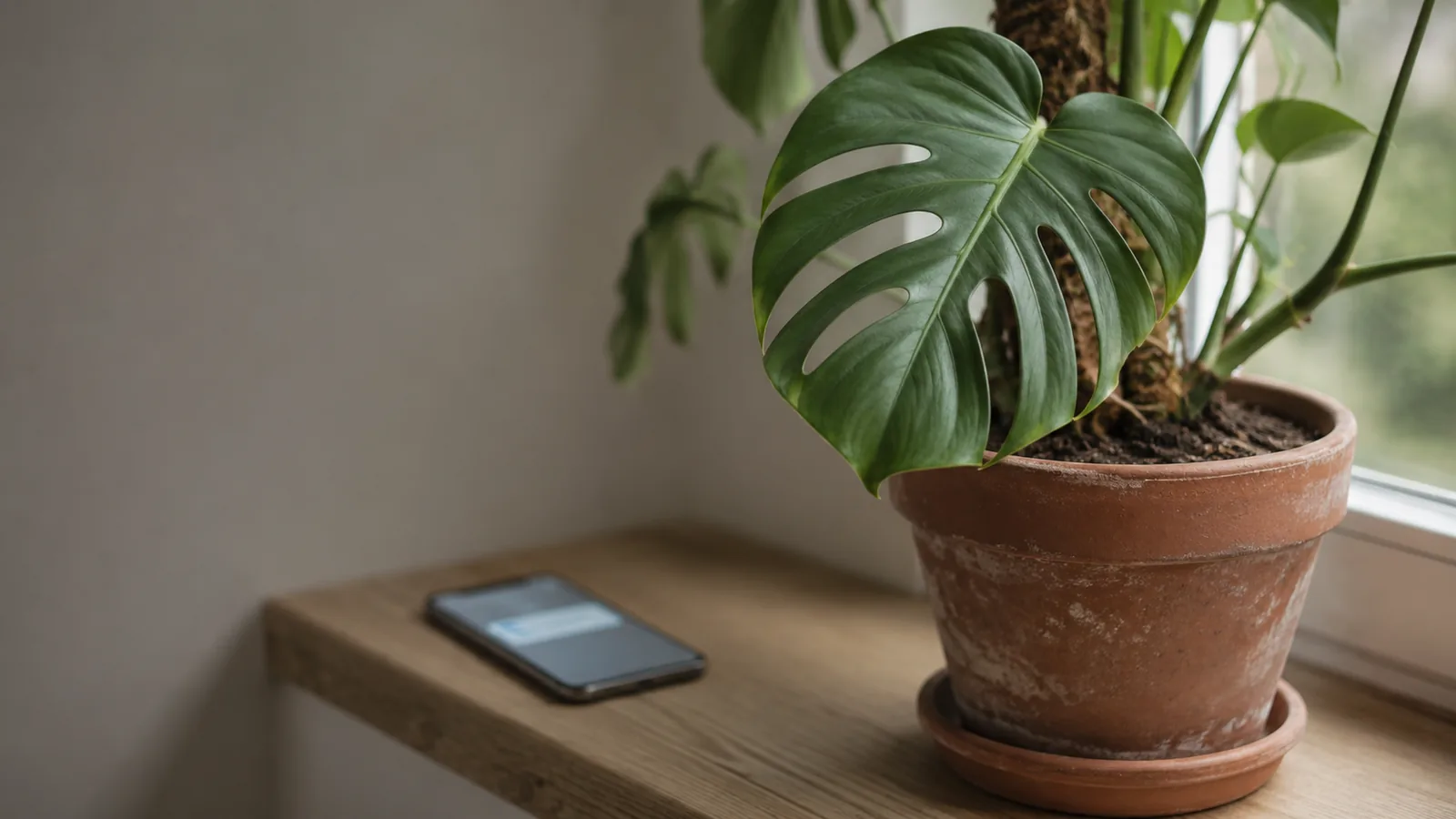
- Pot material. A terracotta pot wicks moisture out through its walls; a glazed ceramic or plastic pot holds it in. The same Monstera in a 6" terracotta pot will need water more often than the same Monstera in a 6" plastic pot, under identical room conditions.
- Substrate mix. A well-draining aroid mix dries out fast; a moisture-retentive peat blend stays wet much longer. Two ZZ plants in the same room with different soil will be on completely different rhythms.
- Pot size relative to root ball. A plant freshly potted up into a too-large container holds onto water for ages, because there's more soil than roots to drink it. Same plant in a snug pot drinks far faster.
- Room microclimate. A pot sitting next to a forced-air heating vent is on a different climate than a pot two metres away near a draughty window. The city weather report can't see either.
- Species-specific physiology. A succulent and a fern living in the same room have opposite humidity needs: most ferns want humid air, while succulents tolerate dry air. Greg knows this in the abstract, but its schedule still anchors on climate.
When Greg says "water on Tuesday," it's combining your city's weather with a generic species lookup. That's a useful prior — better than nothing. But it doesn't update when your specific plant diverges from the city average. It doesn't notice that the terracotta pot dried out three days early, or that the Calathea by the radiator is stressed, or that the new pot you repotted into is holding water for a week longer than expected.
The notification fires anyway. Because the calendar says so.
The specific gaps
Concretely, four things a reminder-class app like Greg can't do:
1. No photo history or health learning. Greg's photo scan identifies the plant, measures the pot and even the distance to the nearest window, and its App Store subtitle promises diagnosis too. What its listing doesn't describe is check-in photos over time: no growth tracking from them, no detection of early stress signals feeding the schedule. If your Monstera starts yellowing because the substrate stayed wet too long, the schedule has no way to know. By the time you notice with your own eyes and search the in-app FAQ, the damage is set.
2. No sensor integration. Greg doesn't connect to soil moisture probes, Miflora-class devices, Home Assistant, or any of the consumer sensor hardware that's become genuinely affordable in the last few years. The schedule stays static even when a sensor on your bench shows the soil is still 60% moist. You either trust Greg and over-water, or trust the sensor and ignore Greg — and the integration cost of running both falls entirely on you.
3. No per-specimen memory. Greg knows species. It knows what a Monstera is, in the general sense. What it doesn't build is a model of your Monstera's specific drinking pattern over six months of watering logs. If your particular plant consistently goes 12 days between needing water when the species default is 9, Greg keeps notifying you on day 9. The schedule doesn't tune to the individual.
4. No proactive forecast. Greg tells you when to water. It doesn't tell you "your Monstera is heading toward stress in four days because this week's heatwave will accelerate depletion faster than the standard schedule accounts for." Reactive reminders are useful. Predictive ones are the next layer up, and reminder-class apps don't have the infrastructure to produce them.
None of these are easy to add as a feature toggle. They require a different architectural bet — that the app is modelling individual plants, not just looking them up in a database.
What specimen-level intelligence looks like
The next step after outgrowing a reminder app is a per-plant model — a continuously updated simulation of what's happening inside each specific pot in your home. We call it a Digital Shadow, and it's the foundation Botanical Legacy is built on.
The difference isn't a longer feature list. It's a different mental model:
- A reminder app asks when is the next Tuesday?
- A specimen-level app asks how much moisture is left in that pot right now?
The Digital Shadow runs nightly for every plant on your account. It updates based on the time elapsed since you last watered, the local weather, what your last check-in photo showed about health and growth, and — when you have one connected — what your soil sensor is reporting. When the modelled moisture crosses the threshold for your specific plant, the notification fires. Not because the calendar says so, but because the model has crossed a line.
How the Digital Shadow works goes deeper into the mechanics. The short version: the model learns from each photo, anchors against sensor readings whenever they're available, and adjusts continuously to weather conditions outside your window. Two Monsteras in the same apartment can end up on different watering rhythms because the model reflects each plant's actual environment, not a city-wide average.
This is also why the question of when to water stops being a fixed-interval problem and becomes a real-time signal. The schedule isn't a number you set at onboarding — it's an output the model produces each night. It's also what separates a reminder app from the best plant tracking app for your situation: tracking the plant, not just the watering event.
If you've been frustrated by reminder apps that occasionally tell you to water a pot that's still visibly damp, this is what's missing on the other end. The model can see what the calendar can't.
Honest comparison
A side-by-side, with no inflation on either column:
| What you need | Greg | Botanical Legacy |
|---|---|---|
| Watering reminders calibrated to local climate | ✅ Excellent | ✅ Yes |
| Species database breadth | ✅ Very large (tens of thousands) | ✅ Growing (thousands) |
| Polished onboarding | ✅ Yes | ✅ Yes |
| Community / plant-sharing layer | ✅ Yes | ❌ Not the focus |
| Visual health diagnostics from photos | "Diagnose" is in its App Store subtitle; the listing doesn't say how | ✅ Botanical Vision v5 |
| Soil moisture sensor integration (Home Assistant, Miflora) | ❌ No | ✅ Yes |
| Per-specimen watering interval learning | ❌ No | ✅ Yes (Digital Shadow) |
| Predictive 7-day care forecast | ❌ No | ✅ Yes |
| Multi-language support | Limited | English at launch |
| Data export (CSV / JSON) | ❌ Limited | ✅ Full export, every plan |
| Free tier (no trial conversion) | ✅ Yes | ✅ Yes (up to 5 plants) |
A few honest caveats on this table:
- Greg's community layer is a real product strength we don't compete on. If having a feed of other people's plant photos and the ability to ask "what's wrong with my Calathea?" to a community matters to you, Greg wins that row outright.
- Botanical Legacy's species database is smaller in raw count than Greg's. We focus on what most home growers keep. If you're collecting rare cultivars and want the broadest possible identification coverage, that gap may matter.
- The sensor integration advantage assumes you either already use Home Assistant or are willing to set it up. Native integrations for popular standalone probes are on our roadmap; today, the path is via Home Assistant. See how to wire a soil sensor to your houseplants for the practical walk-through.
If you'd rather see Greg lined up against every major plant app at once — Planta, PlantIn, PictureThis, and Blossom included — our best plant care app 2026 roundup puts all five side by side on the same honest axis. If your shortlist really came down to Greg versus Planta, the Planta alternative write-up breaks down the climate-schedule-versus-species-database trade-off between the two leading reminder apps. And if it's pricing transparency that's driving your search, our PlantIn alternative write-up walks through the weekly-vs-annual pricing math and the three tests worth applying to any replacement. If you're coming from an identifier rather than a scheduler, the PictureThis alternative write-up covers why naming a plant is the easy part of keeping it alive.
Who should stay on Greg
This is the section most "alternative" posts skip, and that's why most of them feel dishonest. So:
Stay on Greg if you have fewer than ten plants, they're all in similar pots and similar conditions, and you mostly want a calm app to nudge you when to water. Greg will serve you well. The climate-based scheduling is genuinely good for that case.
Stay on Greg if you want a community-driven plant experience — sharing your plants, browsing other collections, asking questions of other plant parents. We don't build that layer. If it's what you want, no alternative we'd recommend covers it as well as Greg does.
Stay on Greg if you have no interest in photo check-ins or sensors. The Digital Shadow gets dramatically more accurate with regular photos and real sensor readings. If you don't want to do either, you're paying for infrastructure you won't use, and a simpler reminder app is a more honest fit.
The Greg-vs-Botanical-Legacy choice isn't a binary "one is better." It's a question of what you want the app to be doing on your behalf. Reminders, or simulation. Both are valid. The cost of getting it wrong is just a switching cost, not a catastrophe.
When you start noticing the limits
A few signals that you've outgrown reminder-class apps in general, not just Greg:
- You've started second-guessing the schedule — pushing notifications forward or backward based on how the soil looks. That's your intuition outperforming the model the app is using. A model that learns from your photos and care actions can catch up to that intuition; a reminder app can't.
- You've bought a soil moisture probe and are reading it manually before each watering. That's the right instinct — sensor data is much better than modelled estimates. The next step is an app that ingests the reading directly.
- You've had a plant decline in ways the app didn't flag, and only noticed because you happened to look closely. Reading the early signals yourself is a skill worth building either way, but a photo-aware app can flag many of them before they become visible damage.
- You've started keeping a notebook or spreadsheet to track watering, fertilising, or photos because the app's history is too thin. That's the export-and-leave point. Any app that makes you keep parallel records has failed at being the system of record.
If two or three of these apply to you, the ceiling you're hitting isn't a Greg-specific problem. It's a reminder-vs-intelligence category problem, and the solution is to move up a tier.
How switching works
Practical notes if you decide to try Botanical Legacy:
No direct import from Greg. Greg doesn't expose a public export format we can ingest, so there's no one-click migration. The honest workflow is to re-add your plants in Botanical Legacy — most people have between five and twenty, so the manual setup takes 20–30 minutes. If you have screenshots of Greg's schedules, they're useful for cross-checking the first week. After that, the Digital Shadow takes over and the schedules will diverge as the model learns your specific plants.
Start on the free Observer plan. Five plants, no payment, no trial that converts. Pick your three or four most-watched plants and a couple of harder cases (a Calathea, a Fittonia, anything you've struggled with). Run them in parallel with Greg for two or three weeks. If our Digital Shadow approach earns its keep, the 14-day Cultivator trial unlocks the full simulation, weather intelligence, and sensor integration.
Your data is portable from day one. Whatever you put into Botanical Legacy is exportable from any plan, including the free one. If we don't earn the upgrade, you walk away with everything. That's the test we want to be measured against.
Frequently asked questions
Is Greg a good plant app?
Yes. For climate-based watering reminders, a polished onboarding experience, and a community layer, Greg is one of the better apps in the category. The "alternative" search exists because some users outgrow that scope, not because the product is bad. If reminders and species lookup cover your needs, Greg is a sensible default.
What does Greg not do?
Greg's store listing describes photo identification and diagnosis, but not check-in photos that feed health or growth signs back into the schedule. It doesn't integrate with soil moisture sensors, doesn't build a per-plant model that learns from your specific watering history, and doesn't produce a forward-looking forecast of which plants are heading toward stress. Its core capability is climate-based scheduling — everything outside that scope is either limited or absent.
How is Botanical Legacy different from Greg?
Greg builds a watering schedule from your climate zone and a species lookup. Botanical Legacy builds a Digital Shadow — a continuously updated per-plant simulation that tracks virtual soil moisture in real time, learns from your photos and sensor readings, and adjusts to local weather conditions. The difference is reminder logic vs. specimen-level intelligence. Both work; they're optimising for different things.
Can I import my Greg plant list into Botanical Legacy?
No direct import — Greg doesn't expose a public data format we can read. The realistic path is to re-add your plants manually. Most users have between five and twenty plants, so the setup takes 20–30 minutes. Once the Digital Shadow starts running, the per-plant schedules tune themselves as the model learns each specimen.
Is there a free plan?
Yes, on both apps. Greg has a free tier with limits on features and plant count. Botanical Legacy's free Observer plan covers up to 5 plants and includes the nightly Digital Shadow, the daily Sanctuary Brief, care reminders and protocols, 12 progress photographs per plant per year, propagation tools, and full data export — no payment required, no trial that converts. Observer also meters 3 photo reads a month: each one is a diagnosis by the Doctor or an identification, from one shared allowance. Every new account includes a 14-day trial of Cultivator (paid plan), which raises that to 120 a month and adds weather intelligence and sensor integration.
Will switching cost me my plant history?
Only the history that's currently locked inside Greg. Botanical Legacy's data is exportable from day one, on every plan — so if you switch and then decide we're not the right fit, you walk away with everything you put in. That's the only honest answer to "is switching safe?": the lock-in cost has to be zero in both directions, or it's not really a fair comparison.
The shortest version
Greg is a polished reminder app. Botanical Legacy is a specimen-level simulation platform. If reminders are what you need, Greg is excellent. If you've started noticing that a one-size-fits-the-city schedule doesn't quite match what your specific plants are doing, that's the signal you've outgrown reminder-class apps in general.
Try the free Observer plan on your five most-watched plants — no payment, no trial conversion. Run it in parallel with Greg for two or three weeks. If the per-specimen approach is worth it for you, you'll know within a season.
Botanical Legacy, May 2026. Botanical Legacy and Greg are independent products; feature descriptions reflect the public state of each at the time of writing. The free Observer plan, the 14-day Cultivator trial, and full data export are part of every account.
Sources
The plant-care facts on this page were checked against these references.
- CSU Extension: planttalk.colostate.edu/topics/houseplants/1315-houseplants-con…
- UConn Extension: homegarden.cahnr.uconn.edu/factsheets/potting-media
- RHS: rhs.org.uk/prevention-protection/overpotting
- RHS: rhs.org.uk/plants/types/houseplants/growing-guide
- UMD Extension: extension.umd.edu/resource/temperature-and-humidity-indoor-plan…
- UW-Madison Extension: chippewa.extension.wisc.edu/2025/11/19/winter-care-of-houseplan…
- Nebraska Extension: lancaster.unl.edu/success-houseplants-humidity
- Iowa State Extension: yardandgarden.extension.iastate.edu/how-to/diagnosing-houseplan…
- UMD Extension: extension.umd.edu/resource/drought-and-excessive-heat-stress
- USU Extension: extension.usu.edu/yardandgarden/research/how-to-recognize-plant…