Smart-home gardening · 13 min read
Plant sensors compared: FYTA, Flower Care and Home Assistant - choose where the reading goes
Every plant sensor measures much the same four things. What differs is where the reading lives afterwards: a vendor's cloud, a phone's Bluetooth range, or your own Home Assistant. How FYTA, Xiaomi's Flower Care and Home Assistant compare, and how to keep the reading yours.
Botanical Legacy · Field notes ·
Buying a plant sensor is two decisions: the probe, and the place its reading has to live. The probe wears out. The second decision is the one you keep.
Where the reading goes
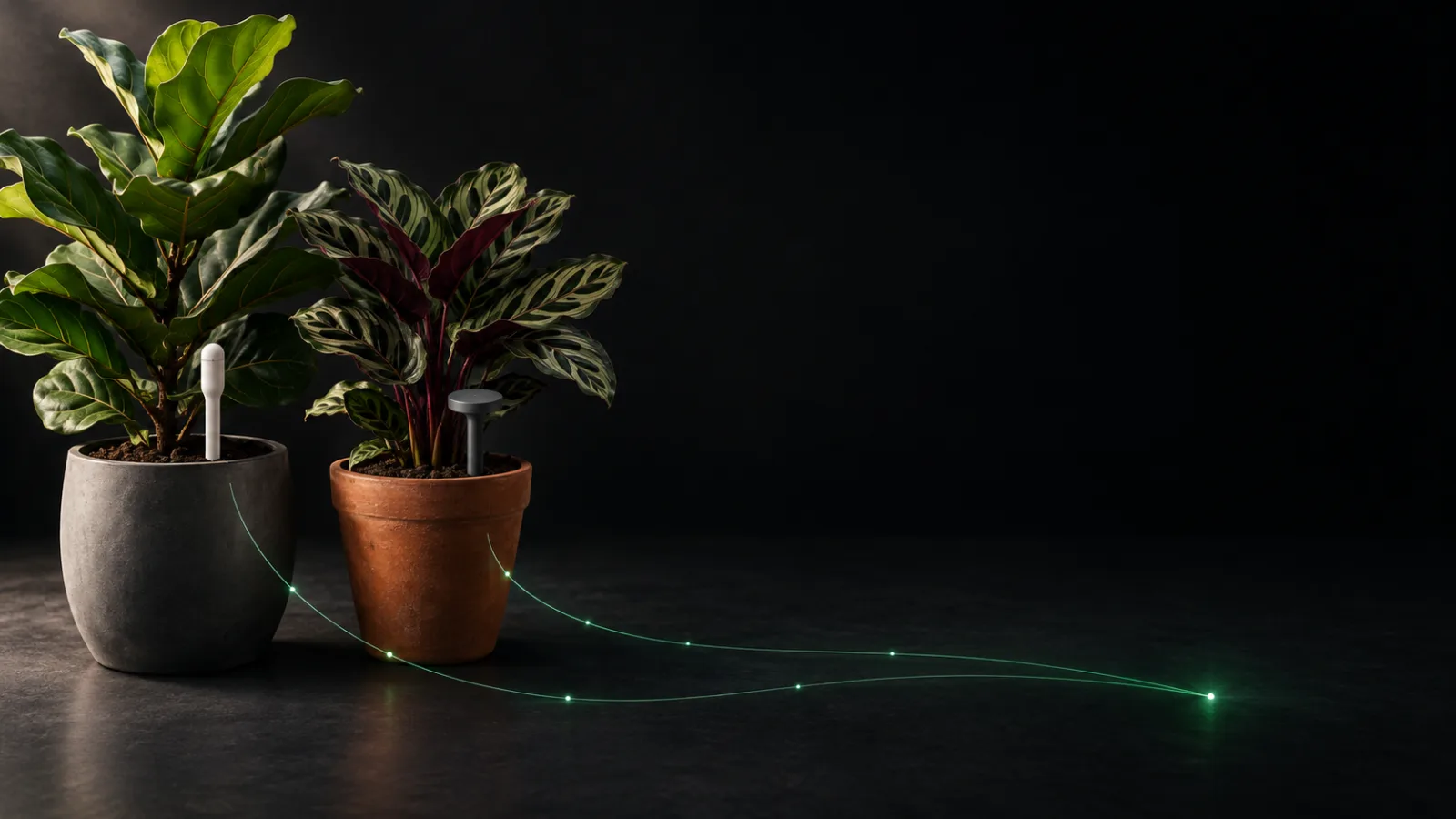
Put a FYTA Beam and a Xiaomi Flower Care probe in neighbouring pots and they report much the same things: how wet the compost is, how warm it is, how much light reaches the leaves, and how salty the root zone has become. The hardware differs in shape, battery and range. The bigger difference is what happens to each number after it leaves the pot.
There are three places a plant sensor's reading can end up:
- The vendor's cloud. FYTA's sensors send their data to FYTA's servers, either through a FYTA hub or through your phone running the FYTA app. Home Assistant's own documentation for its FYTA integration says the probe "only provides raw data", which has to be processed on FYTA's server before anything can read it.
- Your phone's Bluetooth range. Flower Care, sold as the Xiaomi Mi Flora, talks Bluetooth. Its app collects readings when the phone is near the probe and stores a history in the maker's cloud.
- Your own Home Assistant. Home Assistant is the free, open-source smart-home platform. It can read a Mi Flora directly over Bluetooth, read FYTA through FYTA's own API, and read Zigbee or home-built probes alongside both.
The popular advice is to pick the best sensor. It is better advice to pick the place first, because that decides which apps can use the reading, whether it works when you are away, and what happens to your history if a company stops updating its app. The Flower Care app's last Google Play update, when we read the listing on 9 October 2026, was August 2025.
It also helps to know what the probe is measuring, because the four numbers are less alike between brands than they look.
Soil moisture is an estimate, made in a small volume. Most consumer probes are capacitance sensors. The University of Florida IFAS Extension explains the principle: the soil around the probe acts as part of a capacitor, and its electrical capacitance depends on how much water the soil holds. The same guide notes two limits. The probe's sphere of influence is small, about 1.6 inches (4 cm) for the devices it describes, and contact matters: the guide calls good contact between sensor and soil extremely critical, and warns against air gaps. The reading is also shifted by temperature, salinity and how dense the mix is, which is why the guide recommends a soil-specific calibration. A recent FYTA app update added exactly this: a guided flow where you mark the moment the compost is fully saturated, so the app can calibrate its moisture scale to your pot.
Light comes in two languages. A Mi Flora reports illuminance in lux. FYTA reports photosynthetic light in micromoles, a PAR figure. These are not two scales for the same thing. Michigan State University Extension explains that the foot-candle and lux "were developed based on the sensitivity of the human eye", while the micromole unit counts the photons in the band plants use for photosynthesis. Converting between them depends on the light source: MSU's own examples use a different factor for sunlight than for a high-pressure sodium lamp. So a "good light" number from one brand cannot be compared with another brand's.
Conductivity is a salt reading. Both brands measure electrical conductivity, the property soil tests use for soluble salts, according to Colorado State University Extension. In a pot, the usual cause of a rising figure is fertiliser: the University of Maryland Extension names excessive use and frequent applications of fertiliser as the cause of high soluble salts in indoor plants.
None of these readings means much on its own. A moisture figure tells you about now. What it means for next Tuesday depends on how fast that pot dries, and that is a model, not a measurement.
What to do
Decide what you want to measure before you choose a brand. A soil probe describes one pot. A thermometer and hygrometer on the wall describe the air every plant in the room shares. If you have a shelf of plants and one difficult one, the useful set is often one room sensor and one soil probe, not a probe in every pot. The moisture sensor guide compares the kinds of probe in more detail.
Find out where the data will live before you buy. Ask three questions of any sensor. Does it need its maker's account to show you a number? Does it work when your phone is out of the house? Can anything other than its own app read it? FYTA answers: an account, yes; away from home, with a FYTA Wi-Fi or LTE hub; other apps, through Home Assistant's FYTA integration, which logs in with your FYTA email and password. A Mi Flora answers: the Flower Care app keeps its history in the maker's cloud; away from home, only through something that stays in Bluetooth range, such as Home Assistant; other apps, through Home Assistant, with no Xiaomi account involved.
With FYTA, budget for the hub if you want the readings anywhere else. FYTA's app is free to use with no subscription, according to its Play listing. But Home Assistant's documentation is explicit: to reach your plant data through the API, you need a FYTA hub uploading the Beam's data to FYTA's server, or the FYTA app acting as the gateway. The integration then fetches it every four minutes. There is no direct connection to the probe.
With a Mi Flora, update the firmware once, then leave the app behind if you like. Home Assistant reads the Mi Flora through its Xiaomi BLE integration, which needs Bluetooth working on your Home Assistant. Its documentation lists firmware 3.2.1 as the lowest confirmed working version, updated through the Flower Care app, and says the Flower Care account and app are not required after that. Bluetooth is short-range, so a pot in another room usually needs a Bluetooth proxy: a small ESP32 board running ESPHome that relays the signal over wifi.
Seat the probe properly, whichever brand it is. Push it to root depth, with compost firmly around it. The RHS advises checking moisture about a third of the way down a container, so a probe that only reaches the top centimetre is measuring the part that dries first. Firm the mix after inserting it, because an air gap around the sensing part spoils the reading.
Calibrate against a pot you know is wet. Water thoroughly until it drains, wait for the reading to settle, and note it. That number is your full mark for that mix. FYTA's saturation flow does this for you; with any other probe, write it down. A reading of 40% means one thing in a peat-free mix and another in a gritty cactus mix.
Never compare light numbers across brands. Lux and micromoles measure different things, and the conversion changes with the light source. Track one sensor's light figure against itself over weeks: is this spot brighter in March than in November? That question it answers well.
Three ways this plays out
The FYTA that also feeds Home Assistant
A fiddle-leaf fig has a FYTA Beam in its pot and a FYTA Wi-Fi hub on the bookshelf. The FYTA app shows its status and sends its own alerts. The guardian also adds Home Assistant's FYTA integration, signing in with the FYTA account, and the fig's readings appear as Home Assistant entities: moisture in %, temperature in °C, salinity in mS/cm and light in micromoles. Now the same probe feeds two apps, and the guardian's Home Assistant dashboard shows the fig next to everything else in the house. The catch is the chain: probe to hub, hub to FYTA's servers, servers to Home Assistant. If the hub goes offline, every app downstream goes quiet together. The lesson: a vendor sensor can still be shared, but only as far as the vendor's cloud lets it.
The Mi Flora that outlived its app
Two Mi Flora probes have sat in a pair of peace lilies for years. The phone app syncs only when someone stands next to the plants with Bluetooth on, so the history has gaps of a week at a time. The guardian updates the firmware once through Flower Care, adds Home Assistant's Xiaomi BLE integration, and puts an ESP32 Bluetooth proxy on the shelf. Home Assistant now hears both probes' broadcasts continuously, with no Xiaomi account in the loop. The probes did not change. Where their readings went did. The lesson: a Bluetooth sensor that broadcasts openly is only as locked-in as the app you choose to read it with.
Three brands, one shelf
An east-facing window holds a calathea, a monstera and a boston fern. The calathea has a Mi Flora, the monstera a FYTA Beam, and the fern nothing, because the Zigbee hygrometer on the wall covers the air for all three. In Home Assistant, every reading sits in one place. The light figures still disagree: the Mi Flora says lux, the Beam says micromoles, and no single factor converts one into the other under mixed daylight and lamps. So each is tracked against itself. The lesson: one place for the readings solves the fragmentation, but it does not turn two kinds of light measurement into one.
What Botanical Legacy does about it
Botanical Legacy does not connect to FYTA's cloud or to Xiaomi's. It reads sensors from your Home Assistant, which means it does not care which brand made the probe, only that Home Assistant can see it.
- Any Home Assistant integration counts. Xiaomi BLE, FYTA, Zigbee, ESPHome: an entity is read if it has one of five Home Assistant device classes (temperature, humidity, soil moisture, illuminance or conductivity) and a unit we can convert. Temperature in °F or K becomes °C, and conductivity in mS/cm or S/cm becomes µS/cm. A reading with no unit, or one we do not recognise, is skipped rather than guessed. The Home Assistant setup guide walks through the connection step by step.
- What each brand brings. A Mi Flora through Xiaomi BLE brings all four of its readings. FYTA through Home Assistant's FYTA integration brings moisture, temperature and salinity. Its light reading is a PAR figure with no illuminance class, so Botanical Legacy leaves it out rather than pretend micromoles are lux.
- Each reading goes where it belongs. Soil moisture, light and conductivity bind to one plant, because they describe one pot. Humidity binds to a room, because air is shared. Temperature goes either way.
- We check every ten minutes. One reading per sensor per hour is kept for the charts, for 30 days.
- A soil reading anchors the forecast. Each time a Specimen's Digital Shadow is recalculated (every night, and when you ask for a fresh one), its latest soil reading, if it is under 72 hours old, becomes the starting moisture, and the forecast carries on from there.
- The probe teaches the drying rate. Once a plant's own probe has at least two readings over six hours since the last watering, and they fit a clear line, the Why this schedule card switches from Estimated to Measured: the drying rate now comes from that pot, not from the species average. The measured rate also tunes the Specimen's own correction, which carries over to the times no reading is available.
- A drop below 20% does not wait for the night. When a plant's soil reading falls from above 20% to 20% or below, a watering alert goes out straight away, if watering alerts are on.
- Conductivity is watched as a trend. Readings are banded for nutrition, and a rising salt trend raises an alert before it reaches the excess level.
- A silent sensor is noticed. If a plant's sensor stops reporting for about six hours, you get an in-app and push alert, and one email after 48 hours. Room sensors do not raise these.
- Auto-logging is yours to switch on. With a moisture sensor bound to a plant, Guardian → Preferences offers Auto-log watering from sensor. It is off by default. When on, a jump of 25 points or more that lands at 50% or wetter is logged as a watering, unless a watering was already logged in the last six hours.
Sensors belong to the Cultivator and Conservancy plans, and to the trial. If a plan ends, we stop checking your Home Assistant; your bindings stay, and checking resumes if you subscribe again. The sensor app guide covers what to expect from any app that takes sensor data.
What the model can't see
A probe measures a sphere of compost a few centimetres across. If it sits against the pot wall, in a pocket of grit, or above most of the roots, it reports soil the plant is not using. No app can correct a probe in the wrong place, and no calibration fixes an air gap.
A reading also arrives without a reason. A sudden jump in moisture could be a watering, rain on a balcony pot, or a probe pushed deeper into wetter compost. Only you know which.
And every link in the chain can fail on its own: a sensor battery, a Bluetooth proxy, a vendor hub, a vendor cloud, your Home Assistant's connection to the internet. The fewer links between the pot and the model, the fewer places for the reading to stop.
Frequently asked questions
What is the best plant sensor?
The one whose readings reach somewhere useful. Most consumer plant sensors measure soil moisture, temperature, light and conductivity. FYTA adds a polished app and a hub for remote access. The Xiaomi Mi Flora, sold as Flower Care, is a long-standing Bluetooth probe that Home Assistant can read directly. Decide whether you want the readings in one vendor's app or in a place several apps can share, then choose the probe.
Does FYTA work with Home Assistant?
Yes. Home Assistant has a FYTA integration that signs in to your FYTA account and fetches each plant's readings from FYTA's API every four minutes: moisture, temperature, light, salinity and battery, plus FYTA's own status for each. It needs a FYTA hub, or the FYTA app acting as a gateway, to upload the probe's data to FYTA's servers first. There is no direct connection to the probe.
Do I need a hub for a plant sensor?
It depends on the sensor and on where you want the readings. FYTA's sensors need a FYTA hub for remote access and for Home Assistant, or your phone has to act as the gateway. A Bluetooth probe like the Mi Flora needs something within Bluetooth range to listen to it: your phone, or Home Assistant, often with an ESP32 Bluetooth proxy for distance.
Does the Mi Flora work without the Flower Care app?
Yes, once its firmware is new enough. Home Assistant's Xiaomi BLE integration reads it over Bluetooth, and its documentation says the Flower Care account and app are not required after the firmware has been updated to 3.2.1 or later through the app.
Can I use a FYTA or Mi Flora sensor with Botanical Legacy?
Yes, through Home Assistant. Botanical Legacy reads sensors from your Home Assistant, not from a sensor brand's cloud. A Mi Flora brings moisture, temperature, light and conductivity. FYTA through Home Assistant's FYTA integration brings moisture, temperature and salinity; its light reading arrives in micromoles rather than lux, so Botanical Legacy does not read it. Sensors are part of the paid plans and the 14-day trial.
Should a plant sensor measure lux or PAR?
Plants use the photons in the photosynthetic band, which PAR-based units count. Lux is weighted to the human eye, and Michigan State University Extension notes that converting between the two depends on the light source. A lux sensor is still useful for comparing one spot against itself over time. Just do not compare its numbers with a PAR sensor's.
Do plant moisture sensors need calibrating?
It helps. Capacitance probes estimate water content from the soil's electrical properties, which also shift with temperature, salinity and how dense the mix is, so a soil-specific calibration is recommended. At home, that means noting the reading in a freshly watered pot and treating that as full.
Start your sanctuary
Botanical Legacy's free plan covers up to five Specimens, indoors or out, with continuous Digital Shadow modelling included. Every new account also gets a 14-day trial of the paid plan, which adds Home Assistant sensor support, local weather, and soil checks that teach each Specimen's drying rate - so the reading in the pot changes the forecast for the plant.
Start your sanctuary - five free specimens, no payment required →
The probe wears out. Where its reading goes is the decision you keep.
Sources
The plant-care facts on this page were checked against these references.
- UF/IFAS Extension: ask.ifas.ufl.edu/publication/AE266
- Michigan State University Extension: canr.msu.edu/resources/light_it_up
- Colorado State University Extension: extension.colostate.edu/resource/saline-soils
- University of Maryland Extension: extension.umd.edu/resource/fertilizer-toxicity-or-high-soluble-…
- RHS: rhs.org.uk/container-gardening/how-to-water-containers
- UF/IFAS Gardening Solutions: gardeningsolutions.ifas.ufl.edu/plants/houseplants/light-for-ho…